macOS Menu Bar App

Every track.
Every scrobble.

The bulletproof Last.fm scrobbler for Apple Music on macOS.
Lives in your menu bar. Never misses a beat.

Requires macOS 13+ · Free & Open Source
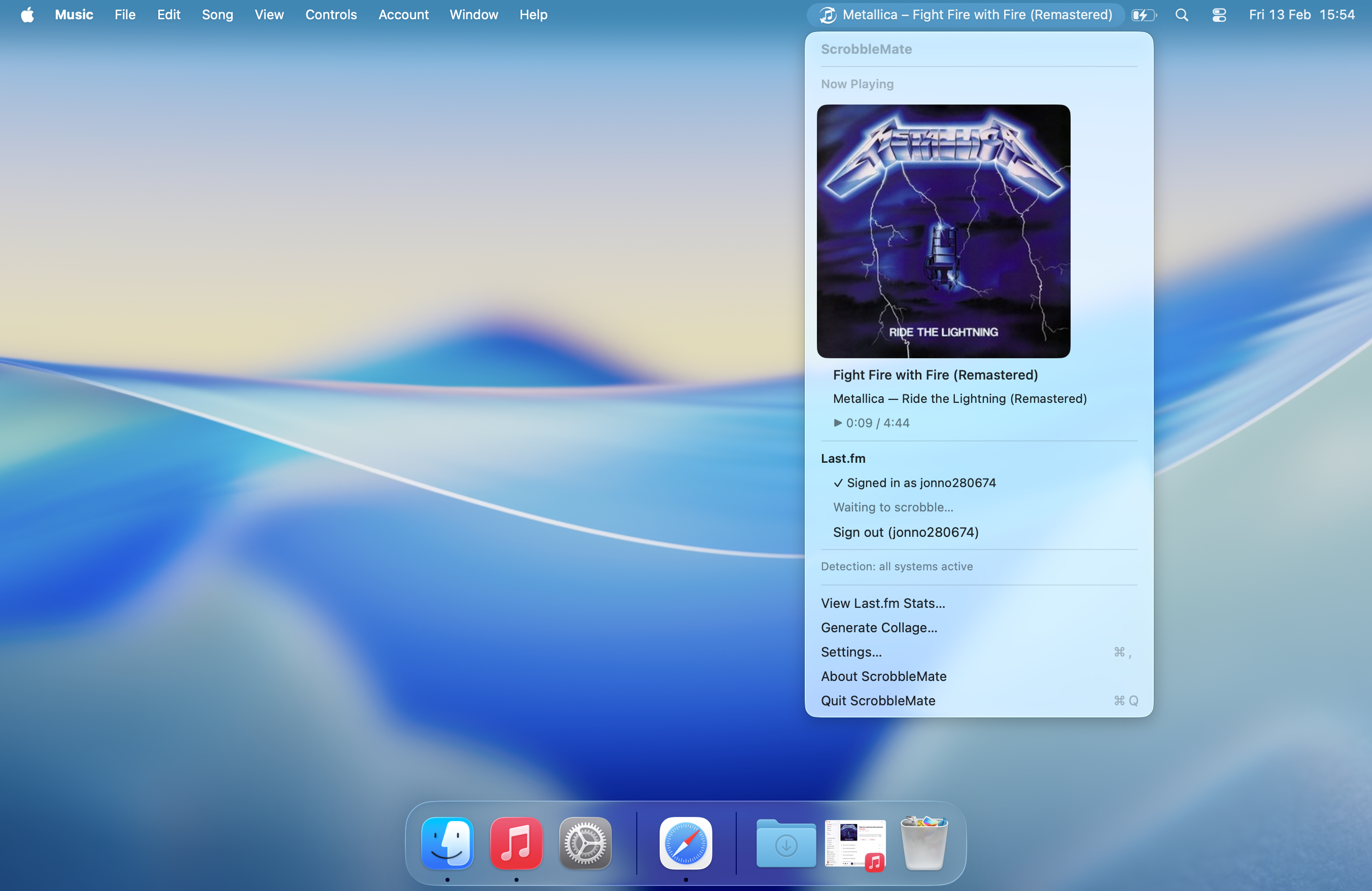
ScrobbleMate showing currently playing track

Built for reliability

Three detection methods work together to ensure every track gets scrobbled. No exceptions.

Triple Detection

Distributed Notifications, MediaRemote framework, and AppleScript polling — three independent methods that cross-verify each other.

Menu Bar Native

Lives quietly in your menu bar showing the current track. Click to see album art, recent scrobbles, and detection health — all in a native macOS dropdown.

Offline Queue

Lost your connection? Scrobbles are saved locally and automatically submitted in batches when you're back online. Nothing gets lost.

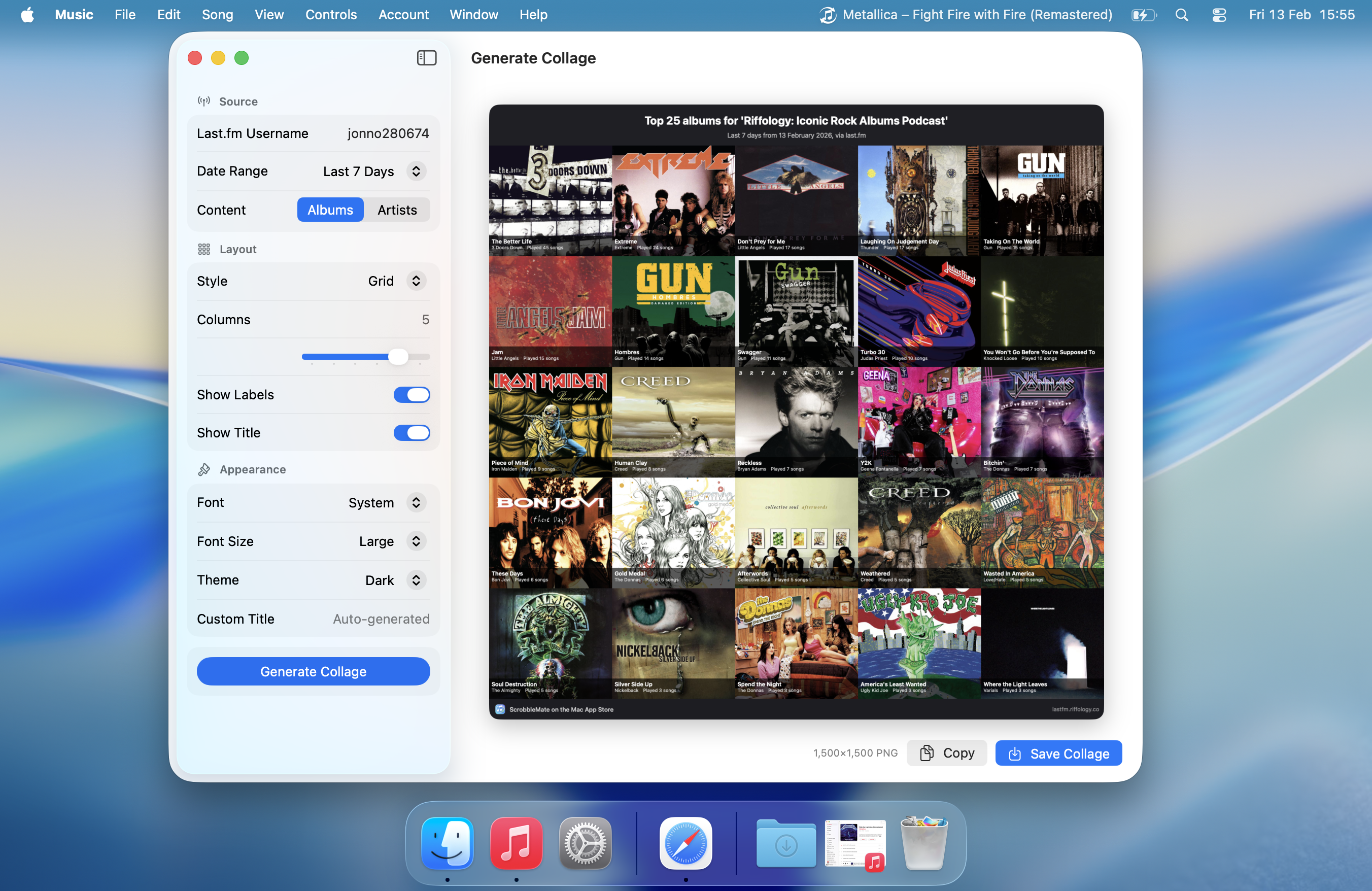
Collage Generator

Create beautiful album art collages from your listening history. Choose grid or collage layout, customise colours, fonts, and share your taste.

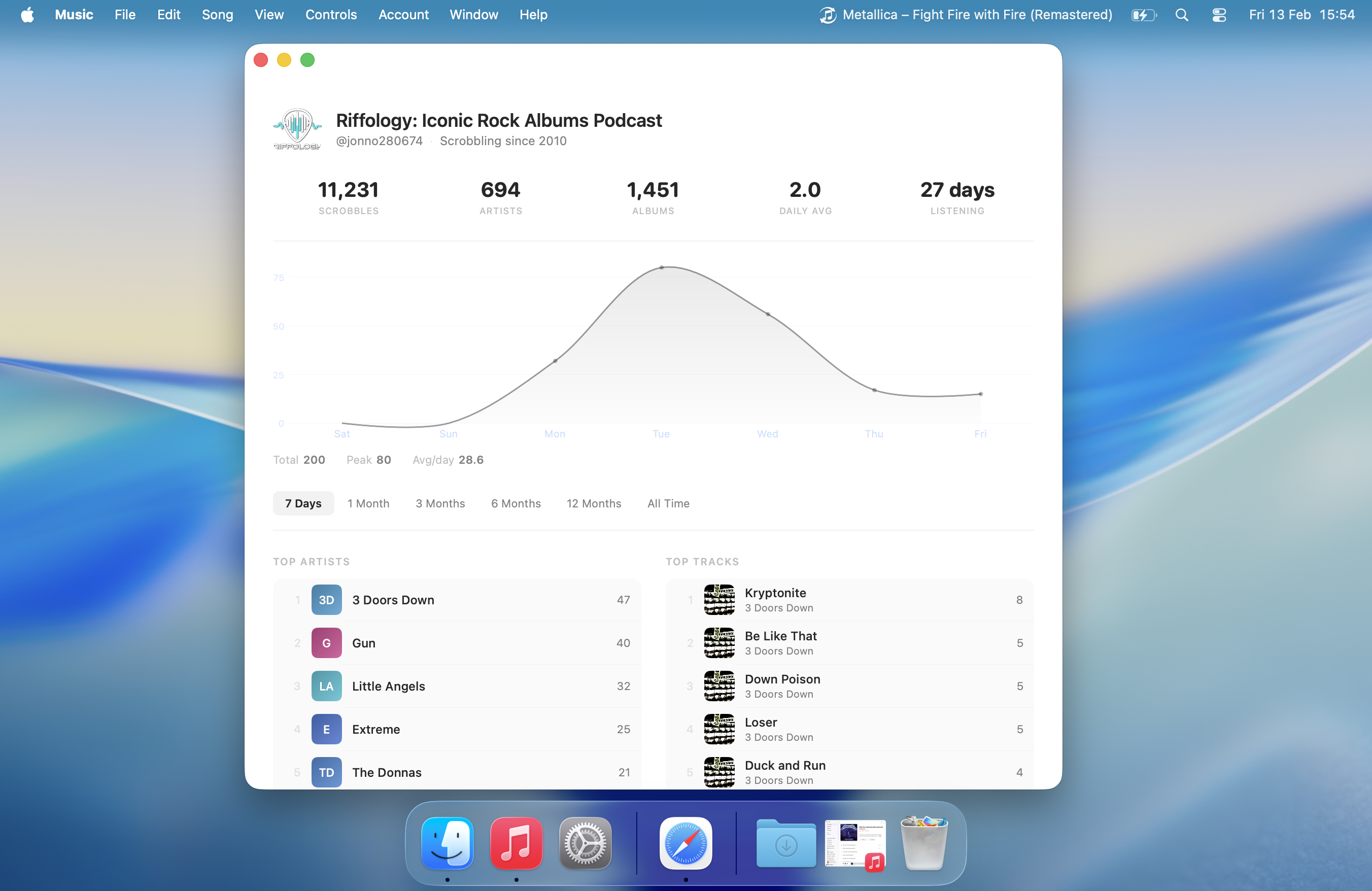
Listening Stats

Rich, beautiful charts of your listening activity. See your top artists, albums, and tracks over time with native macOS visualisations.

Privacy First

No tracking. No analytics. No data collection beyond what's needed to scrobble. Your listening data stays between you and Last.fm.

Three layers of detection

If one method fails, the others keep working. You'll always know what's active.

1

Distributed Notifications

Instant, event-driven. Listens for Apple Music's native playerInfo notifications the moment a track changes.

Real-time
2

MediaRemote Framework

System-wide Now Playing data including artwork and elapsed time, sourced from macOS's private media framework.

Real-time
3

AppleScript Polling

Safety net that queries Music.app every 15 seconds for the authoritative track position. Won't launch Music if it's not running.

Every 15s
Notify Remote Script (3/3)

Detection health indicator — always visible in your menu bar

See it in action

Native macOS design. Dark mode. Beautiful at every pixel.

Scrobble on your terms

  • Scrobble threshold — Set 50–100% of a track before it counts
  • Max time cap — 2–8 minute ceiling so long tracks scrobble promptly
  • Album art toggle — Show or hide artwork in menus
  • Menu bar display — Show current track title or keep it minimal
  • Launch at login — Start scrobbling the moment you log in

Your music. Your data.

We take your privacy seriously. Here's exactly what ScrobbleMate does — and doesn't — do.

What We Access

  • Your Last.fm username

    Used to authenticate with Last.fm and submit scrobbles. Linked to your identity for app functionality only.

  • Now Playing track info

    Song title, artist, album, and duration from Apple Music — used solely to scrobble to Last.fm.

  • Network connectivity

    Checks if you're online so scrobbles can be queued offline and submitted when connectivity returns.

What We Never Do

  • No tracking or analytics

    Zero tracking pixels, no analytics SDKs, no telemetry of any kind.

  • No data collection

    We don't collect, store, or transmit any data beyond what's sent to Last.fm's API.

  • No third-party sharing

    Your data is never sold, shared, or disclosed to any third parties.

  • No tracking domains

    ScrobbleMate declares zero tracking domains in its Apple-required privacy manifest.

ScrobbleMate is sandboxed and requests only the minimum permissions needed: network access (for Last.fm), file access (for saving collages), and Apple Events (to communicate with Music.app).

Ready to scrobble?

Download ScrobbleMate and never miss a track again.

Requires macOS 13 Ventura or later · Apple Silicon & Intel